 A static class is basically the same as an instance class. The main difference is that a static class cannot be instantiated – you cannot create an instance of the static class via the “new” keyword.
Given that you cannot instantiate instances of a static class, there will ever only be one copy of the static class. The CLR loads the class when the program that references the class is loaded

Static Only Class
A class can be created as static only, by adding the static keyword to the class definition. The CLR will load the class in the “Static” section of memory. The static MyMath can be used without having to instantiate an instance. You can simply write the name of the static class without having to use the new keyword.
e.g. MyMath.Multiply
You cannot instantiate an instance of a static-only class ( see below )


Mixed Class – Static/Instance members
A class can contain a mix of static and instance members
e.g

The static version of the class can be used and also instance versions of the class.
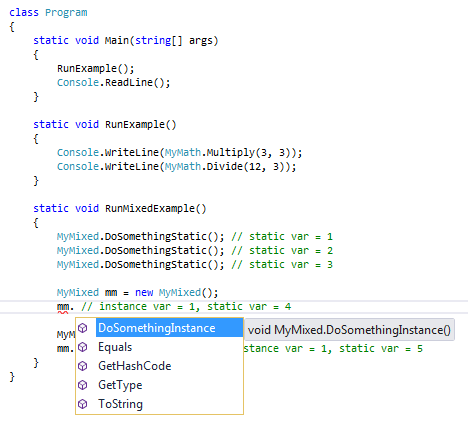
The static method – DoSomethingStatic() can only be accessed via the static version of the class. It is not visible to any instance versions.
The instance method – DoSomethingInstance() can only be accessed via instance versions of the class.
The instance field “a” can only be used by instance method – DoSomethingInstance()
The static field “b” can be used by both the static and instance methods – DoSomethingStatic() / DoSomethingInstance()
You can think of “b’ as being a global to every instance of MyMixed. If one MyMixed instance updates the value of b, the new value will be read by all the other instances
The instance field “a” is not visible to the static version because the runtime has not allocated a memory location for it.
.


 C#/SQL Notes
Leave a comment